Implementing a Sorting Algorithm
Introduction
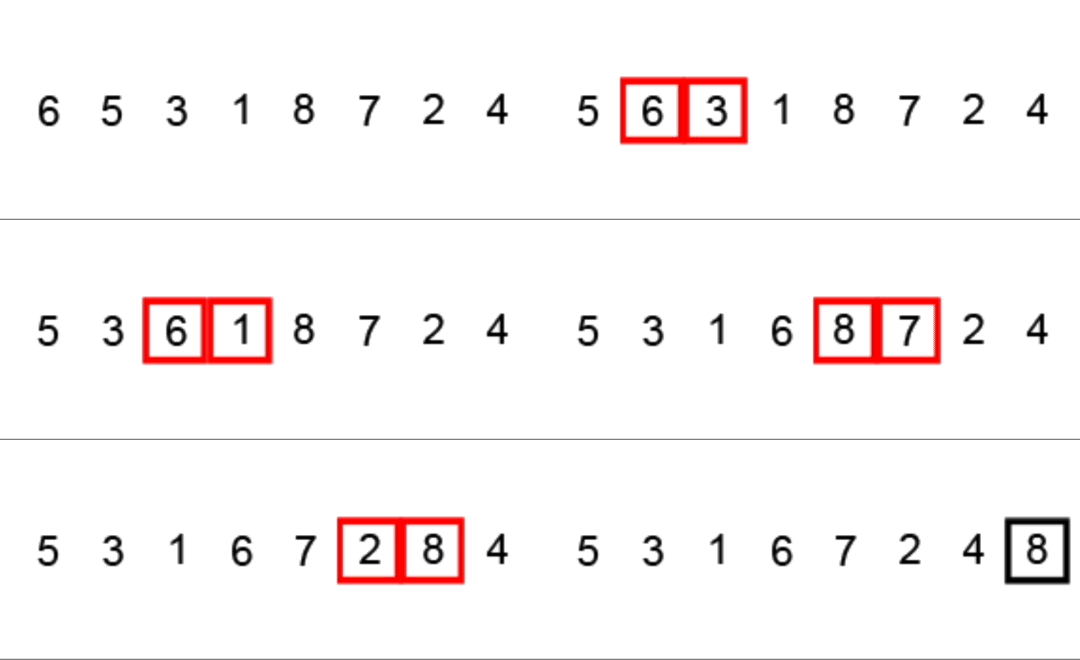
Many students, when asked to come up with a sorting algorithm for a list of numbers, identify the idea of:
- comparing adjacent numbers in the list
- swapping numbers if the left number is greater than the right number
- continuing this process until the highest number is at the end of the list
Visually, that looks like this:
Create the array
How might we implement what is described above?
First, we'd need to populate the array.
To mirror the exact example shown above, we can write the following code:
// Create an empty array
var dataSet: [Int] = []

// Populate the array to exactly match example given
dataSet.append(6)
dataSet.append(5)
dataSet.append(3)
dataSet.append(1)
dataSet.append(8)
dataSet.append(7)
dataSet.append(2)
dataSet.append(4)

// Print the contents of the array
print(dataSet)
If you wish to try this out, consider creating a new command line project in Xcode.
Alternatively, you could also choose to create a new Xcode Playground.
This remainder of this tutorial will assume you've chosen to create a command-line project.
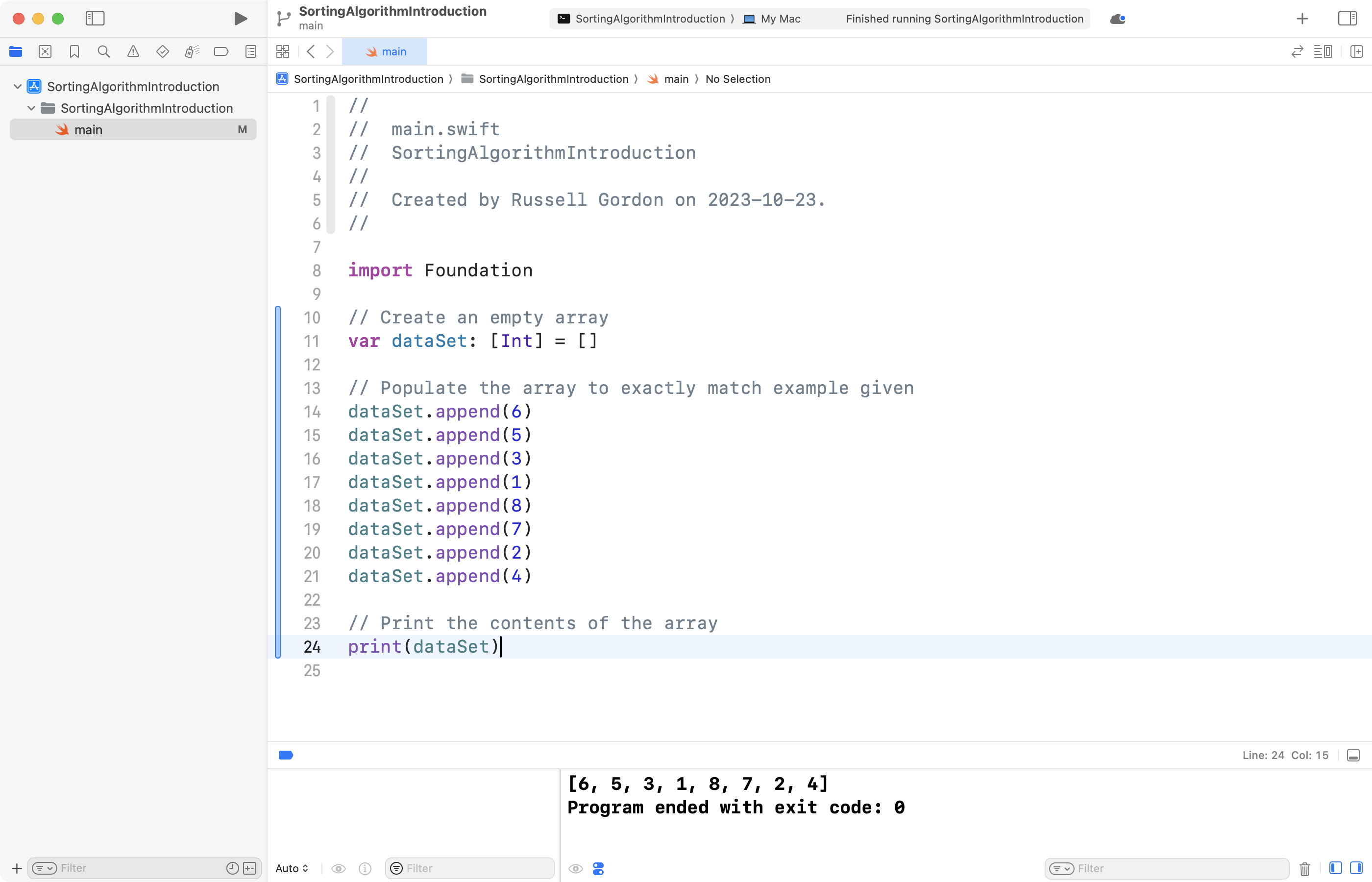
Running the code above in a command-line project produces the following output:
Iterate over the array
An array can be thought of as a table with two columns.
The first column contains the index. The second column contains the element. The index marks the position of the element with the array.
Arrays in Swift are zero-based. That means the first element exists at an index of 0:
| index | element |
|---|---|
| 0 | 6 |
| 1 | 5 |
| 2 | 3 |
| 3 | 1 |
| 4 | 8 |
| 5 | 7 |
| 6 | 2 |
| 7 | 4 |
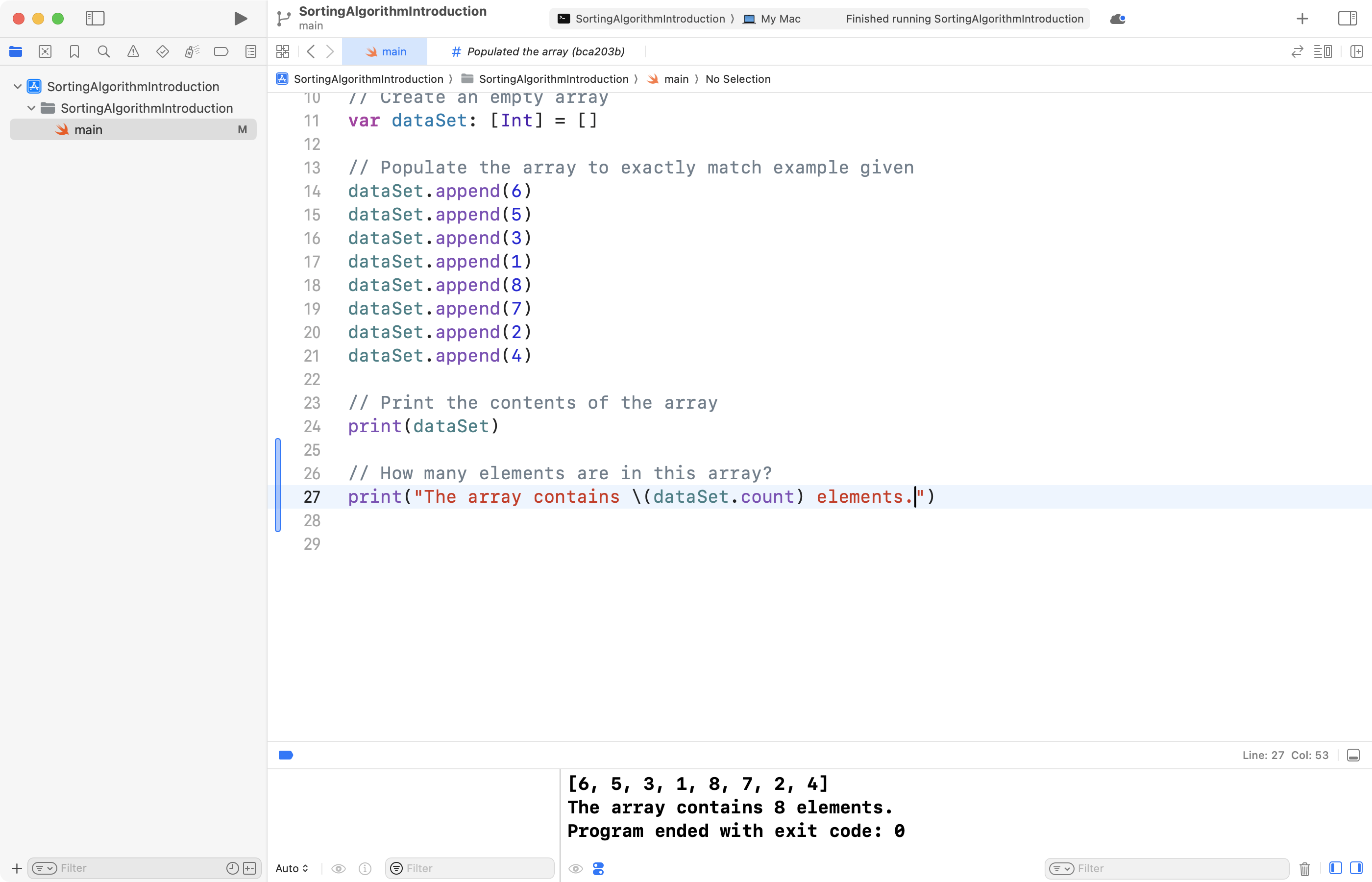
This array has a total of eight elements. If we add the following code:
// How many elements are in this array?
print("The array contains \(dataSet.count) elements.")
...we can see Swift report this for us:
To safely iterate over the array, we must iterate from 0 through to 7.
If we iterate from 0 through to 8, as shown below, we we get an error:
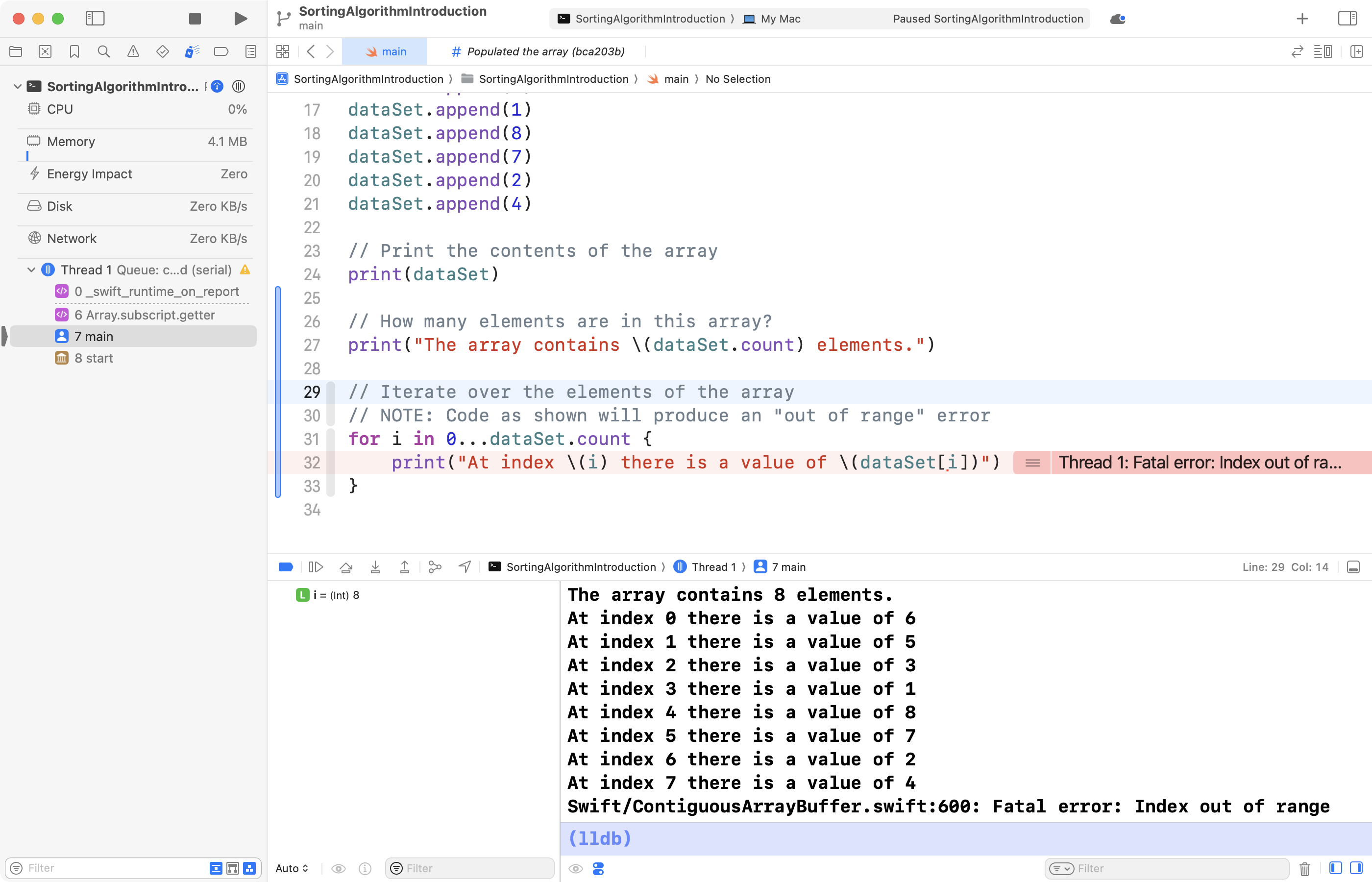
This occurs because 0 through 8, inclusive, is nine iterations of the loop.
There are only 8 elements in the array. By trying to print the value of dataSet[8] we have gone past the end of the array. Hence, the error message: Index out of range.
We must instead subtract one from the count, so we iterate from 0 through to 7 – that is, eight iterations for eight array elements:
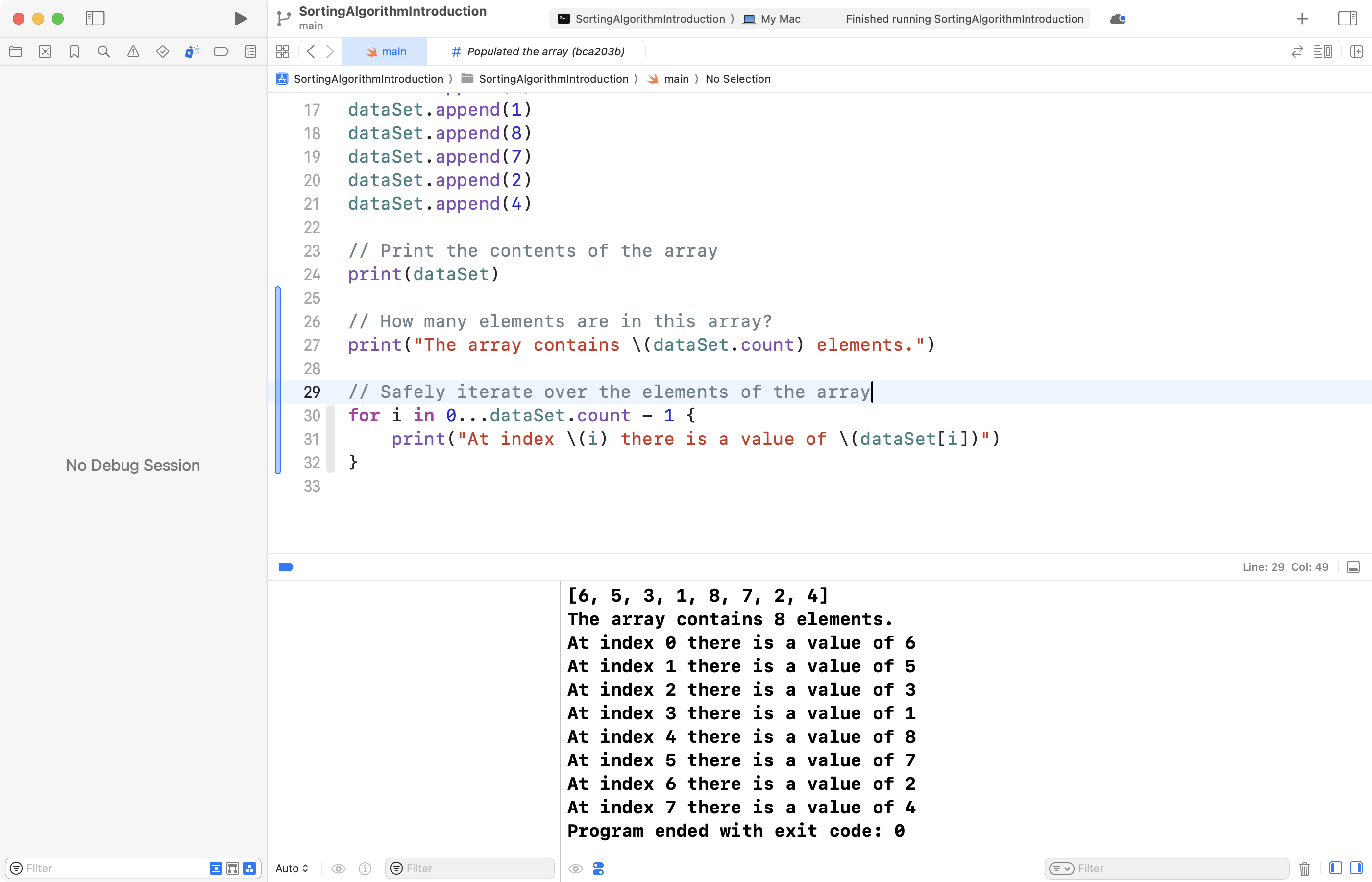
You can add the code shown above to your own project now, if you wish:
// Safely iterate over the elements of the array
for i in 0...dataSet.count - 1 {
    print("At index \(i) there is a value of \(dataSet[i])")
}
Comparing elements
Next we need to compare elements. We can do this by looking at the element in the current position, i. The position to the right is i + 1.
Let's try running the code now:
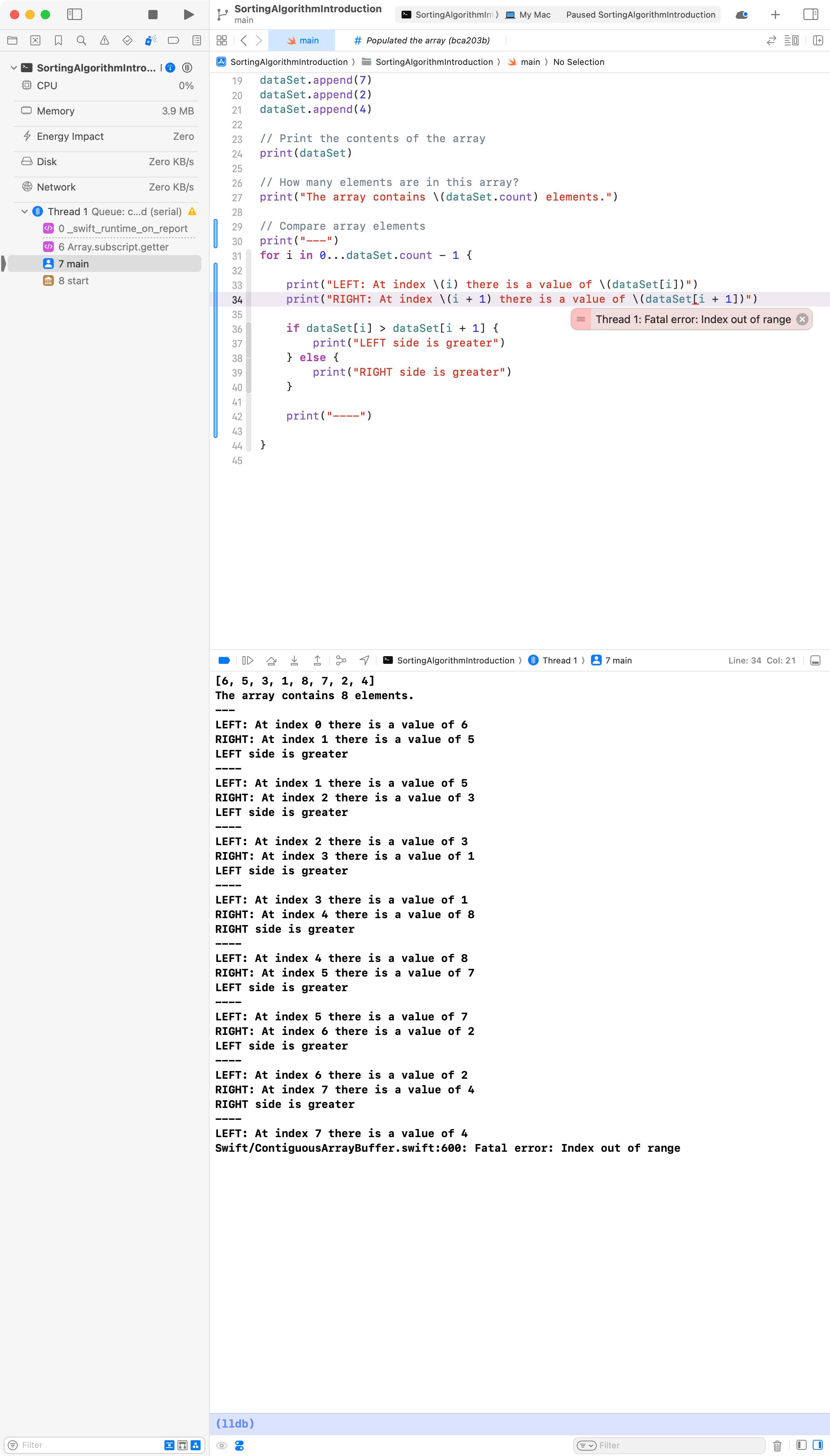
Oops. We have another Index out of range error. Can you see why?
The loop finishes with an i value of 7. i + 1 is 8.
Remember, the array contains no element an an index of 8, since arrays are zero based:
| index | element |
|---|---|
| 0 | 6 |
| 1 | 5 |
| 2 | 3 |
| 3 | 1 |
| 4 | 8 |
| 5 | 7 |
| 6 | 2 |
| 7 | 4 |
If we are going to compare the left element, i, to the element next to it, at right, i + 1, then we have to ensure the final value of i is 6 (in this example).
That way, the final comparison in the loop will be between the elements at the positions, or indices, of 6 and 7.
We can simply modify the code below to subtract 1 a second time.
Now when the code is run, we get this:
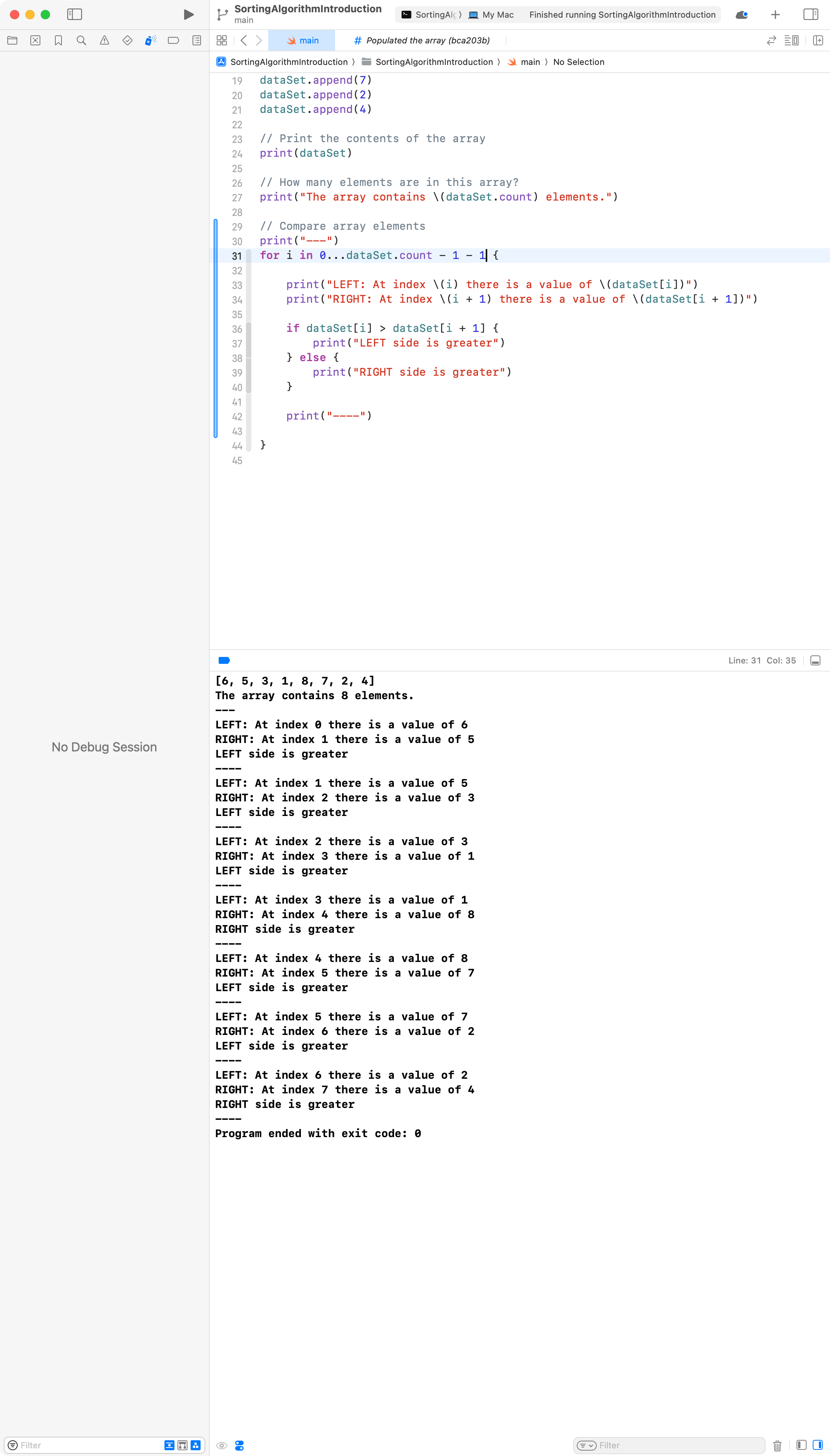
You can add the code shown here to your own project, if you wish:
// Compare array elements
print("---")
for i in 0...dataSet.count - 1 - 1 {

    print("LEFT: At index \(i) there is a value of \(dataSet[i])")
    print("RIGHT: At index \(i + 1) there is a value of \(dataSet[i + 1])")

    if dataSet[i] > dataSet[i + 1] {
        print("LEFT side is greater")
    } else {
        print("RIGHT side is greater")
    }

    print("----")

}
Swap elements
The final step is to swap the position of elements when the left value is greater than the right value.
After making the necessary code changes, this is the result:
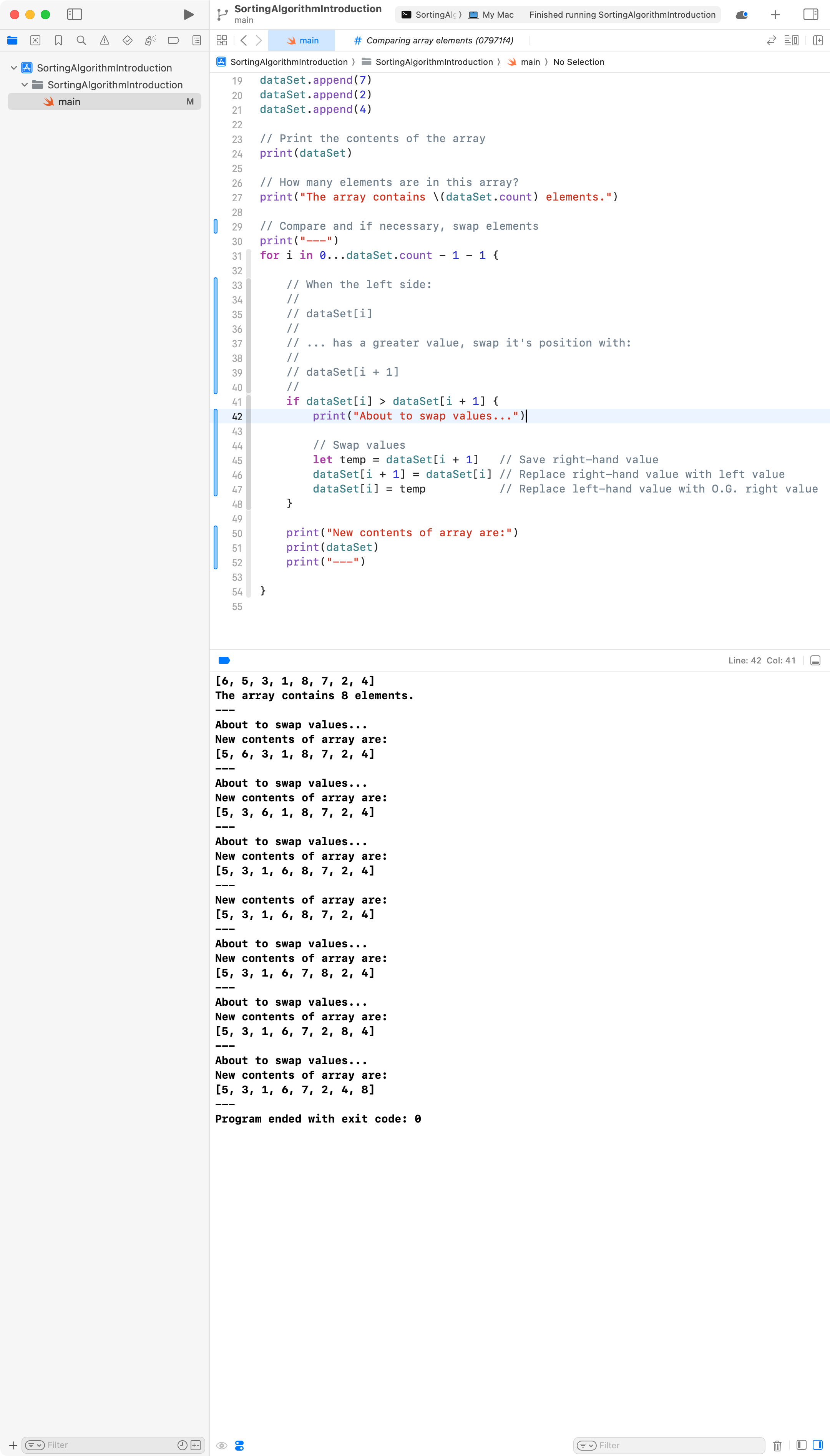
Note how the highest value, 8, has "floated" up to the end of the array.
Let's take a closer look at the first swap that occurs:

You can add the code shown in the examples above to your own project, if you wish:
// Compare and if necessary, swap elements
print("---")
for i in 0...dataSet.count - 1 - 1 {

    // When the left side:
    //
    // dataSet[i]
    //
    // ... has a greater value, swap it's position with:
    //
    // dataSet[i + 1]
    //
    if dataSet[i] > dataSet[i + 1] {
        print("About to swap values...")

        // Swap values
        let temp = dataSet[i + 1]   // Save right-hand value
        dataSet[i + 1] = dataSet[i] // Replace right-hand value with left value
        dataSet[i] = temp           // Replace left-hand value with O.G. right value
    }

    print("New contents of array are:")
    print(dataSet)
    print("---")

}
Exercises
The examples above illustrate how to:
- populate an array
- iterate over an array to print it's elements
- compare elements in an array
- swap elements
As it stands, the code now completes one pass of the array. The highest number is at the end of the array.
Try completing the following exercises to extend your understanding:
-
How many passes of the array, as explained above, would be necessary to guarantee the array is completely sorted?
-
Add code so that more passes of the array take place.
-
Try populating the array with the code shown below instead. Test your sorting code from exercises 1 and 2 above. Does the array end up fully sorted?
// Populate the array
for i in 1...8 {
    dataSet.append(i)
}
dataSet.reverse()