All Prior Classes

Table of Contents

Thread 4

Thread 3

Thread 2

Thread 1

Thread 4, Day 15 - Saturday, June 15, 2024

Agenda

  1. End of Course Interview
    • Here is the order of interviews for this morning:
      1. Lewis
      2. Quin
      3. Lawrence
      4. Justin H
      5. Tom
      6. David
      7. Justin W
      8. Morgan
    • Please wait on the chair outside room 36 when your interview is next.
      • For example, Quin will wait outside room 36 while Lewis completes his interview, and so on.
    • At some point this morning, please complete the course feedback form.
      • This form is anonymous.
      • Your constructive feedback is valued – thank-you in advance for your time with this.
    • You can also continue to fine-tune your portfolio on Notion.
Important

You will be dismissed at 11:30 AM. Please wait until I come out to dismiss you. Until then, to minimize traffic and noise in the academic block, please stay in Hadden Hall, with the exception of essential trips to the washroom.

Back to top of thread 4 ⬆

Thread 4, Day 14 - Friday, June 14, 2024

Agenda

  1. Culminating Task: Building an App for an External Audience
    Note

    You will use the GraphGenerator app included with the CYOA template project to generate your group's directed graph.

    Recall that nodes (pages) must have at least one edge connecting them to other nodes, unless they are an ending node (page).

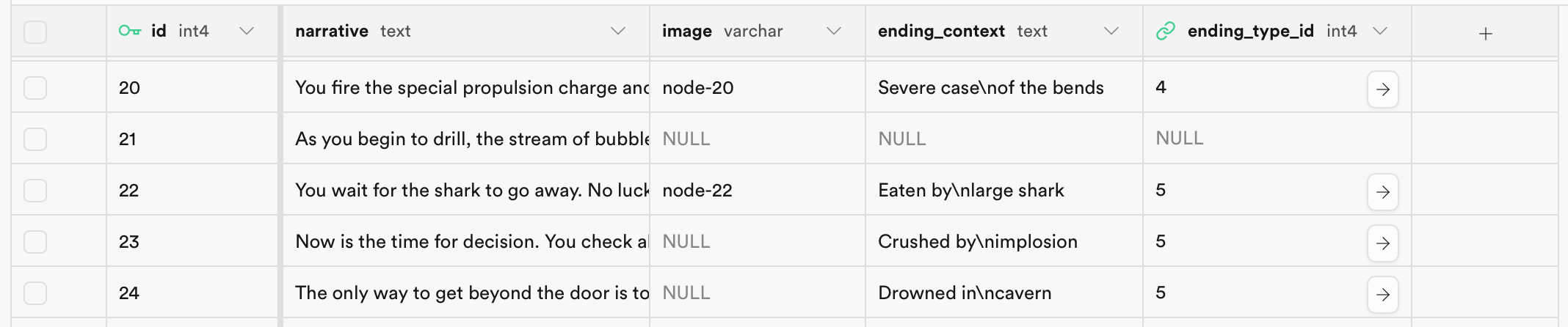
    All nodes (pages) that represent endings must be categorized so that your group can produce a directed graph that has it's endings accurately tallied.

    Categorize a node (page) as an ending by populating the ending_context and ending_type_id column for a given page.

    For example:

    Screenshot 2024-06-05 at 7.15.43 AM.png|600

Things to do before our next class
    • Summarize the progress that you personally made within your group's effort today.

Back to top of thread 4 ⬆

Thread 4, Day 13 - Tuesday, June 11, 2024

Agenda

  1. Culminating Task: Building an App for an External Audience
    • Today we make our final visit to Lakefield District Public School to share your finished products with the students there.
Things to do before our next class
    • Summarize the progress that you personally made within your group's effort today.

Back to top of thread 4 ⬆

Thread 4, Day 12 - Monday, June 10, 2024

Agenda

  1. Culminating Task: Building an App for an External Audience
    • This is the final working period for the culminating task.
Things to do before our next class
    • Summarize the progress that you personally made within your group's effort today.

Back to top of thread 4 ⬆

Thread 4, Day 11 - Friday, June 7, 2024

Agenda

  1. Culminating Task: Building an App for an External Audience
    • This is the second-last working period for the culminating task.
Things to do before our next class
    • Summarize the progress that you personally made within your group's effort today.

Back to top of thread 4 ⬆

Thread 4, Day 10 - Wednesday, June 5, 2024

Agenda

  1. Culminating Task: Building an App for an External Audience
    • To begin today's class, Mr. Gordon will guide each group with enabling source control.
    • Then, work with your partners to extend the CYOA template that was provided so that it is customized, improved, and tailored to the interests of your partners at LDPS.
    Note

    If needed, use the GraphGenerator app included with the CYOA template project to analyze your group's directed graph and correct any problems with your group's story, such as nodes (pages) without any edges connecting them to other nodes.

    As well, all nodes (pages) that represent endings must be categorized so that your group can produce a directed graph that has it's endings accurately tallied. Categorize a node (page) as an ending by populating the ending_context and ending_type_id column for a given page. For example:

    Screenshot 2024-06-05 at 7.15.43 AM.png|600

Things to do before our next class
    • Summarize the progress that you personally made within your group's effort today.

Back to top of thread 4 ⬆

Thread 4, Day 9 - Tuesday, June 4, 2024

Agenda

  1. Culminating Task: Building an App for an External Audience
    • Today, we visit Lakefield District Public School for the third time, to meet again with our partners and collect feedback on your minimally viable product – the MVP – of your group's CYOA app.
    Note

    Be certain you are taking careful notes from your partner(s) feedback.

    Your eventual grade on this task relies in part on clear evidence that you implemented story and game elements based on the requirements and input received from your partner(s) at LDPS.

Things to do before our next class
    • Share the photographs of the notes that you made today.

Back to top of thread 4 ⬆

Thread 4, Day 8 - Monday, June 3, 2024

Agenda

  1. Culminating Task: Building an App for an External Audience
    • Today your group will use the CYOA Template to get started on your group's CYOA book.
      • One member of your group will assume the project manager role and create your group's primary repository, with guidance from Mr. Gordon.
      • The other group members will fork this repository; all contributions must be made according to the team source control workflow you used earlier this year.
    • Your group will need the database starter script.
      • A different member of your group will assume the database manager role and create your group's database at Supabase, with guidance from Mr. Gordon.
    • Use today's class to get your project set up and your database populated.
      • The goal for tomorrow's visit to LDPS is to have your group's story ready to try out.
      • Later this week group members will work to add customizations to your group's CYOA app.
Things to do before our next class
    • Summarize your progress with authoring your part of the story.

Back to top of thread 4 ⬆

Thread 4, Day 7 - Saturday, June 1, 2024

Agenda

  1. Culminating Task: Building an App for an External Audience
    • With the spreadsheet you made in our prior class, use today's class to finish authoring your part of the narrative for your group's Choose Your Own Adventure story.
      Tip

      Optionally, you may use large language model software (ChatGPT, Gemini, et cetera) as a "co-intelligence" for writing. Put another way, do not have the model write the entire story for you, but use it as a creative partner to generate ideas that you flesh out. Have fun with this exercise of creative writing.

Things to do before our next class
    • Summarize your progress with authoring your part of the story.

Back to top of thread 4 ⬆

Thread 4, Day 6 - Friday, May 31, 2024

Agenda

  1. Culminating Task: Building an App for an External Audience
    • Today, your group moves from planning the narrative for your Choose Your Own Adventure story to authoring the narrative.
    • Each group member is required to make a copy of this spreadsheet and then immediately add a link to their copy of the spreadsheet in their portfolio entry for today on Notion.
    • Work with your group members to assign a range of node ID's to each group member. For example, one member may use the range of id's from 1 to 100, the next from 101 to 200, and so on.
      • So long as node ID's do not overlap, each group member can work in their own spreadsheet to author the narrative.
      • In a future class, the data in these spreadsheets will be imported into a shared database hosted at Supabase.
      • In turn, that database will be used by your group's app.
      Tip

      Optionally, you may use large language model software (ChatGPT, Gemini, et cetera) as a "co-intelligence" for writing. Put another way, do not have the model write the entire story for you, but use it as a creative partner to generate ideas that you flesh out. Have fun with this exercise of creative writing.

Things to do before our next class
    • Summarize your progress authoring your part of the story.
    Important

    Be sure you include a link to your copy of the spreadsheet provided above.

Back to top of thread 4 ⬆

Thread 4, Day 5 - Tuesday, May 28, 2024

Agenda

  1. Culminating Task: Building an App for an External Audience
    • Today, we visit Lakefield District Public School for the second time, to meet again with our partners and build out the narrative you have started to develop.
    Note

    Be certain you are taking detailed notes regarding what story elements your partner(s) are asking for.

    Your eventual grade on this task relies in part on clear evidence that you implemented story and game elements based on the requirements and input received from your partner(s) at LDPS.

Things to do before our next class
    • Share the photographs of the additional plans and notes that you made today.

Back to top of thread 4 ⬆

Thread 4, Day 4 - Monday, May 27, 2024

Agenda

  1. Culminating Task: Building an App for an External Audience
    • First, form your groups for the culminating task – maximum of three in a group, please.
      • Groupings could be based on shared interests of your partner(s) from Lakefield District Public School, but does not have to be.
        • A Choose Your Own Adventure story can be large enough to encompass a variety of interests from your LDPS partners – even if those interests don't overlap.
    • Second, begin planning your narrative using the chart paper and the markers provided.
      • Use a directed graph to make a high-level plan.
      • Use point form to make plans for what happens at each node.
      • Optionally, one person in your group may have a computer open to make use of a large language model such as ChatGPT if that helps you to get an idea for an interesting and entertaining narrative.
      • Near the end of class, take clear photographs of the plans you made on paper with your group.
      • Then, hand in your sheet(s) of chart paper to Palmer before you leave class.
        • Be sure each group member's name is written at the top of each page of chart paper.
Things to do before our next class
    • Share the photographs of the plans you made today.
    • Give one-paragraph summary of the story that will be told in your group's Choose Your Own Adventure narrative.
Tip

We will return to LDPS tomorrow; you will then continue planning out the narrative with your partners in Mme. Zmozynski's class.

Back to top of thread 4 ⬆

Thread 4, Day 3 - Friday, May 24, 2024

Agenda

  1. Exemplar: A Choose Your Own Adventure App
    • What type of features might a CYOA story delivered in app form be able to offer that a book cannot?
  2. Discussion: Directed Graphs
    Tip

    In Monday's class, you will organize into groups and begin developing a CYOA narrative on paper.

  3. Culminating Task: Building an App for an External Audience
    • Today, we visit Lakefield District Public School for the first time, to meet our partners and learn more about them and their interests.
    • This will help each of you, as the consultants, determine what narrative or theme might work for a Choose Your Own Adventure app built for the students at LDPS, who are your clients.
Things to do before our next class
    • Share clear photographs of the notes you took today.
    • Write a brief summary of what you feel you learned about the interests of your partners at LDPS.

Back to top of thread 4 ⬆

Thread 4, Day 2 - Wednesday, May 22, 2024

Agenda

  1. Group Software Projects: Staying Organized
    Important

    Work completed for a project must be tracked within issues and on the kanban board for your team.

  2. Tutorial: Using a Cloud-Hosted Database
Tip

In our next class we will travel to Lakefield District Public School to meet our partners there and determine their interests and what curriculum topics they want to build a Choose Your Own Adventure story around.

Things to do before our next class
    • Share your progress in one or more updates on Notion.

Back to top of thread 4 ⬆

Thread 4, Day 1 - Tuesday, May 21, 2024

Agenda

  1. Culminating Task: Building an App for an External Audience
    • Understand the parameters of the culminating task for this course, which accounts for the final 30% of your grade.
  2. Tutorial: Using a Cloud-Hosted Database
Things to do before our next class
    • Share your progress in one or more updates on Notion.

Back to top of thread 4 ⬆

Thread 3, Day 13 - Friday, April 19, 2024

Agenda

  1. Module 3 Test
    • This will be graded and returned to you via Edsby later today or this weekend.
Things to do before our next class

None – it's the end of the module.

Enjoy your Quiet Weekend! 💤

Stay tuned for details about a potential optional study session in advance of the AP CSP exam on May 15.

Back to top of thread 3 ⬆

Thread 3, Day 12 - Thursday, April 18, 2024

Agenda

  1. Parallel and Distributed Computing
    • When can a problem can be broken up into parts and solved in parallel, and when is this helpful for solving problems more quickly?
    • You now have in-class time to complete the module on Parallel and Distributed Computing and its related formative quizzes.
  2. Quiz: Encryption, Algorithms, Heuristics, Parallel and Distributed Computing
    • Check your knowledge of new topics we've looked at this week.
Things to do before our next class
Upcoming events
  • Tomorrow – Friday – in class...
    • Module 3 test

Back to top of thread 3 ⬆

Thread 3, Day 11 - Wednesday, April 17, 2024

Agenda

  1. Sorting: Comparing Bubble, Selection, and Insertion Sorts
  2. Searching: Comparing Linear vs. Binary Search
  3. Algorithms Summary
    • A summary of the major algorithms and when they are useful.
  4. Heuristics and Undecidable Problems
    • What do we do when a problem cannot be solved in a reasonable amount of time?
Things to do before our next class
Upcoming events
  • Tomorrow – Thursday – in class...
    • Quiz (short answer, multiple choice)
      • High-level topics are:
        • Encryption, Algorithms, Heuristics, Parallel and Distributed Computing
      • How to prepare:
        • Complete all assigned Study tasks since our last quiz.

Back to top of thread 3 ⬆

Thread 3, Day 10 - Tuesday, April 16, 2024

Agenda

  1. Quiz: Data, User Authentication, Simulations, Compression, Crowdsourcing, Digital Divide, Citizen Science
    • Check your knowledge of topics we looked at last week.
  2. Computational Complexity of Algorithms
  3. Data Encryption and Secure Internet Protocols
    • How is data kept private on our massively distributed public Internet?
Things to do before our next class

Back to top of thread 3 ⬆

Thread 3, Day 9 - Friday, April 12, 2024

Agenda

  1. Data: Analog vs. Digital
    • What is analog data?
    • What is digital data?
    • How can digital data approximate analog data?
  2. Crowdsourcing and Citizen Science
  3. Digital Divide
Things to do before our next class
Upcoming events
  • Tuesday, in class...
    • Quiz (short answer, multiple choice)
      • High-level topics are:
        • Data, User Authentication, Simulations, Compression, Crowdsourcing, Digital Divide, Citizen Science
      • How to prepare:
        • Complete all assigned Study tasks since our last quiz.

Back to top of thread 3 ⬆

Thread 3, Day 8 - Thursday, April 11, 2024

Agenda

  1. AP CSP: Diagnostic Exam Follow-up
    • Take 5-10 minutes to self-grade your results on the diagnostic exam.
      • Use this answer key – if you have your physical copy of the 5 Steps to a 5 book with you, you can use that instead (pages 29 to 34).
      • As you check answers, complete the Diagnostic Exam Inventory to determine what big ideas you need to focus most on learning.
    • Take a photo of your exam results and inventory and share that photo in a portfolio post on Notion.
  2. Data: Lossy vs. Lossless Compression
    • How is color represented digitally?
    • How can data be compressed to use less storage space?
Tip

If you did not have time for this yesterday, be sure to review the lesson on Simulations and try the related exercises.

Things to do before our next class

Back to top of thread 3 ⬆

Thread 3, Day 7 - Wednesday, April 10, 2024

Agenda

  1. AP CSP: Diagnostic Exam (In-class)
    • You already know most, but not quite everything, you need to write the exam.
    • We will use today's class to complete a diagnostic exam.
    • You will self-grade results in Thursday's class.
    • This diagnostic will give you a roadmap to what topics you need to focus on to fill in gaps in your own knowledge before the end of this module.
  2. Simulations
    • Review the lesson.
    • Complete the exercises given on the final slide.
Things to do before our next class

Back to top of thread 3 ⬆

Thread 3, Day 6 - Tuesday, April 9, 2024

Agenda

  1. Debrief: Effects of Computing Innovations
    Note

    Here are the sentences, phrases, and words shared by participants in this conversation today in class.

  2. Abstraction and Binary Numbers
    • With software, we can re-organize and summarize vast quantities of data.
    • Complete this activity to take a deeper dive into this idea, and gain knowledge for AP CSP Big Idea #2.
  3. Safe Computing: User Authentication
    • What is a strong password?
    • What is a password manager?
    • Multi-factor authentication
Things to do before our next class

Back to top of thread 3 ⬆

Thread 3, Day 5 - Friday, April 5, 2024

Agenda

  1. Quiz: Data, Networks, Impact of Computing, Safe Computing
    • Check your knowledge of topics we looked at this week.
  2. Extracting Information From Data
    • With software, we can re-organize and summarize vast quantities of data.
    • Complete this activity to take a deeper dive into this idea, and gain knowledge for AP CSP Big Idea #2.
Things to do before our next class

Back to top of thread 3 ⬆

Thread 3, Day 4 - Thursday, April 4, 2024

Agenda

  1. Safe Computing: Personally Identifiable Information and Data Tracking
    • As a class, we will explore what personally identifiable information (PII) is and how to control access to your PII
    • For the remainder of the class and for Study this evening, please complete these tasks
      • Please also share full-screen screenshots of your results on Quizzes 1 and 2 from these sections on Notion.
Things to do before our next class
Upcoming events
  • Tomorrow, in class...
    • Quiz (short answer, multiple choice)
      • High-level topics are:
        • Data, Networks, Impact of Computing, Safe Computing
      • How to prepare:
        • Complete all assigned Study tasks given so far in this thread of study.

Back to top of thread 3 ⬆

Thread 3, Day 3 - Tuesday, April 2, 2024

Agenda

  1. Assessment and Evaluation for Thread 3
    • Discussion of how your progress will be assessed and evaluated
  2. Packet Posting: A Hands-on Activity
  3. The Internet
    • Learn how the physical layers (Ethernet, WiFi, fibre optic cable, et cetera), protocols (IP, TCP, HTTP, and others), work together to connect people around the world.
    • To be completed via self-paced study: Khan Academy AP CSP portal
      • This is another decent option for building and checking general knowledge
      • Some time will be given now, in class, to get an account set up and to start using this
  4. Computing Innovations: Harmful and Beneficial Effects
    • What is a computing innovation?
      • How can an innovation have both beneficial and harmful effects?
      • How can an innovation's effects be both intended and unintended?
      • What can be done to avoid bias in the development of computing innovations?
Things to do before our next class

Back to top of thread 3 ⬆

Thread 3, Day 2 - Wednesday, March 6, 2024

Agenda

  1. Activity: Standup Meetings
    • Ultra-brief status check-in.
  2. Working Period: Time to Complete Assigned Project Task(s)
    • Progress, or clear documentation in each issue of what was attempted, is expected.
    • An ultra-brief Notion post with a link to issue(s) you contributed to is required.
Things to do before the end of class
Vacation

Have a restful, fun, and safe March Break! 😎 See you in April! 🌷

Back to top of thread 3 ⬆

Thread 3, Day 1 - Tuesday, March 5, 2024

Agenda

  1. Activity: Standup Meetings
    • Ultra-brief meetings to assign issues within a team.
  2. Working Period: Time to Complete Assigned Project Task(s)
    Tip

    Bookmark the project page for your app for faster lookup in the future. In most browsers you can make a bookmark with the Command-D keyboard shortcut.

Things to do before our next class

Back to top of thread 3 ⬆

Thread 2, Day 13 - Wednesday, January 31, 2024

Agenda

  1. Activity: Set Project Priorities
  2. Working Period: Time to Complete Assigned Project Task(s)
Things to do for Evening Study
  • Ensure that your portfolio has captured all the work you completed in this module.
    • Deadline for portfolio additions to be reviewed for the next report card is this Saturday at 11 PM.

Back to top of thread 2 ⬆

Thread 2, Day 12 - Tuesday, January 30, 2024

Agenda

  1. Activity: Prototype Demonstrations
    • For teams that have a user they can speak with, today will involve showing your prototype to that user and collecting feedback.
  2. Activity: Creating Project Kanban Boards
    • For each project, we will meet as a team and create your Kanban board based on the user stories you wrote and the user feedback you received from prototypes.
    • A Kanban board is a way of organizing project priorities.
    • Here is one example of a live Kanban board for the Obsidian Digital Garden plugin, which is used to build this very website.
  3. Working Period: Time to Complete Assigned Project Task(s)
Things to do for Evening Study
  • You have been assigned an issue from your team's Kanban board; you are to make clear progress on that issue, or complete it if possible.

Back to top of thread 2 ⬆

Thread 2, Day 11 - Friday, January 26, 2024

Agenda

  1. Concept: Source Control Within a Team
    • Learn the theory of how to contribute to a team effort using the fork and branch source control model.
  2. Task: Create Forks of Project Repositories
    • The project manager has created primary repositories for each project.
    • Create your fork of your project repository.
    • Complete the first issue that has been assigned to you, using the workflow we just examined.
  3. Activity: Time to Work on Prototypes
    • For any time remaining in class, work with your partner to refine the Keynote-based prototypes of your app.
    • In our next class, you will collect feedback from potential end-users about your prototype.
Things to do this weekend
  • As needed, co-ordinate with your partner to finish this first prototype of your app.

Back to top of thread 2 ⬆

Thread 2, Day 10 - Thursday, January 25, 2024

Agenda

  1. Setup: Install Keynote
    • Please install or update Keynote if you have not done so already.
  2. Activity: 60 Second Prototyping
Things to do for Evening Study
  • As needed, co-ordinate with your partner to make progress on a first prototype of your app.

Back to top of thread 2 ⬆

Thread 2, Day 9 - Wednesday, January 24, 2024

Agenda

  1. Discussion: App Dev Teams
  2. Activity: User Stories
  3. Setup: Install Keynote
  4. Activity: 60 Second Prototyping
    • Review this completed prototype file in Keynote.
    • Using these iOS Design elements, adapt the completed prototype file to instead be a prototype for your app.
    • In our class on Friday, Mr. Gordon will demonstrate how to use the most important features of Keynote for building prototypes.
      • You will then have a working period with your partner to develop a prototype in Keynote.
Things to do for Evening Study

Back to top of thread 2 ⬆

Thread 2, Day 8 - Tuesday, January 23, 2024

Agenda

  1. Concept: Software Development Lifecycle
  2. Video: How We Start Apps: Behind the Scenes of Kino
    • A look at how a well-regarded iOS development company launched a new app.
  3. Activity: Discuss Group Software Development Opportunities
Things to do for Evening Study
  • Make a post on Notion. Identify the top three app projects you would most be interested in working on, and why. Be sure to link to each app idea.

Back to top of thread 2 ⬆

Thread 2, Day 7 - Friday, January 19, 2024

Agenda

  1. Activity: College Board Digital Portfolio
    • If you have not already, submit your AP Create Task.
      Important

      A link to a draft of your written responses for the AP Create Task must be posted on Notion.

  2. Tutorial: Using Observable Classes, Part 2
    • Finish the build of the improved To-do list app.
    • Learn how to apply SwiftData framework to easily persist data within an app.
Things to do this weekend

Back to top of thread 2 ⬆

Thread 2, Day 6 - Thursday, January 18, 2024

Agenda

  1. Activity: College Board Digital Portfolio
    • If you have not already, submit your AP Create Task.
      Important

      A link to a draft of your written responses for the AP Create Task must be posted on Notion.

  2. Concept: Structures vs. Classes
    • Take your time reading through this lesson.
    • Make notes regarding your observations.
    • Then draw conclusions when prompted to understand how classes are handled differently from structures in the Swift programming language.
    Important

    Share your notes in a portfolio post on Notion; Mr. Gordon will provide feedback.

  3. Tutorial: Using Observable Classes
    • Learn how to use the Observation framework to easily share data between views within a SwiftUI app.
Things to do before our next class

Back to top of thread 2 ⬆

Thread 2, Day 5 - Wednesday, January 17, 2024

Agenda

  1. Activity: College Board Digital Portfolio
    • If you have not already, submit your AP Create Task.
      Important

      A link to a draft of your written responses for the AP Create Task must be posted on Notion.

  2. Tutorial: Creating Pie Charts and Donut Charts
    • Learn how to create bar charts and line charts using the Charts framework and SwiftUI.
      Tip

      You can follow this tutorial by creating either an iOS or macOS application in Xcode – both work equally well – however, on some computers, macOS projects will compile and run faster.

  3. Exercise: Create a Pie or Donut Chart
    • Using what you learned in the tutorial above, select either a pie chart or a donut chart.
    • Create data structures that you can model using the chart type you selected.
    • Then make a chart to visualize the data.
    • For deeper learning, if you have time, make both types of charts using your own data.
      Example

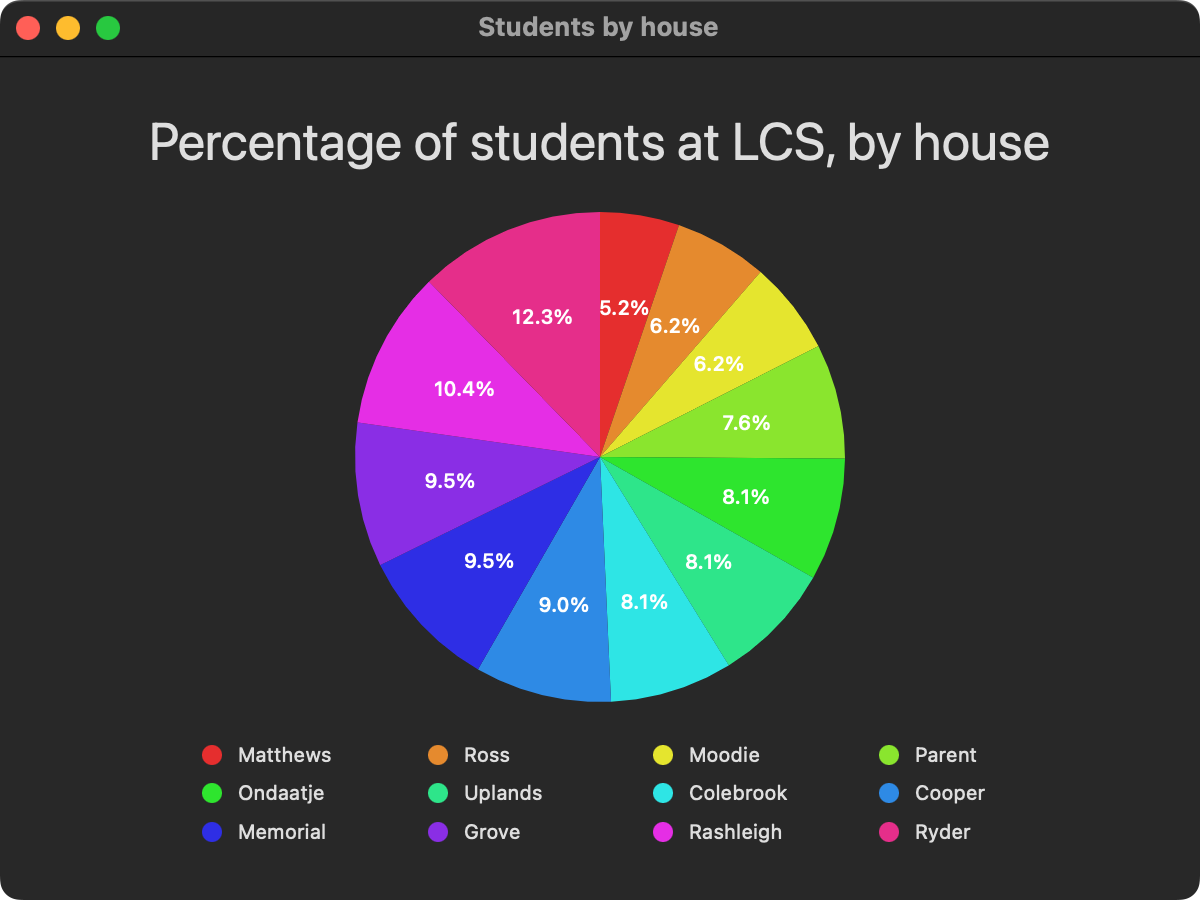
      Here is an example using made-up data regarding the proportion of students in each house at Lakefield College School:

      Screenshot 2024-01-15 at 6.40.57 PM.png|600

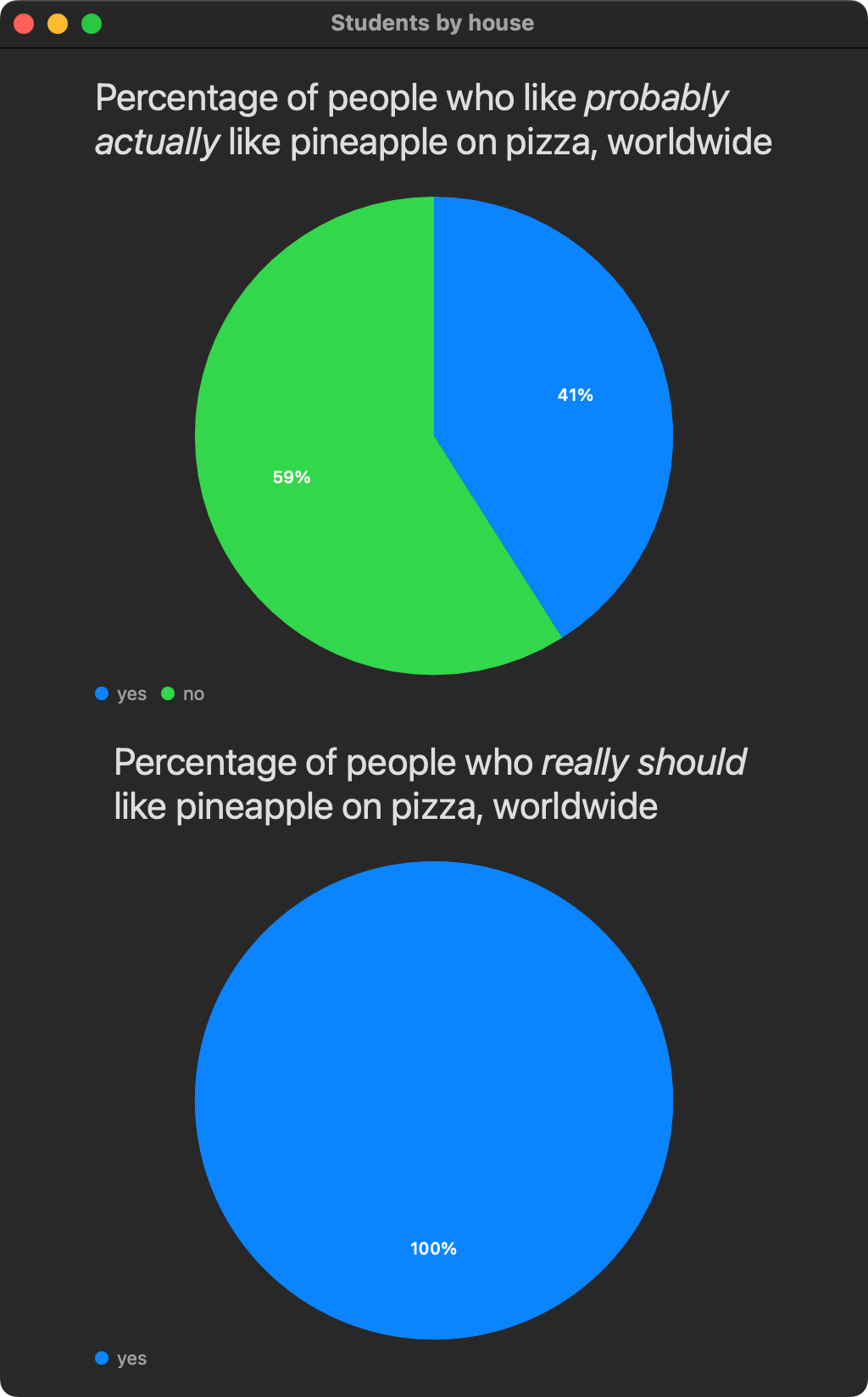
      Here is a silly example, but it is good practice with making charts:

      Screenshot 2024-01-17 at 9.10.39 AM.png|400

Things to do before our next class

Back to top of thread 2 ⬆

Thread 2, Day 4 - Tuesday, January 16, 2024

Agenda

  1. Activity: College Board Digital Portfolio
    • If you have not already, submit your AP Create Task.
      Important

      A link to a draft of your written responses for the AP Create Task must be posted on Notion.

  2. Tutorial: Creating Bar Charts and Line Charts
    • Learn how to create bar charts and line charts using the Charts framework and SwiftUI.
      Tip

      You can follow this tutorial by creating either an iOS or macOS application in Xcode – both work equally well – however, on some computers, macOS projects will compile and run faster.

  3. Exercise: Create a Bar or Line Chart
    • Using what you learned in the tutorial above, select either a bar chart or a line chart.
    • Create data structures that you can model using the chart type you selected.
    • Then make a chart to visualize the data.
    • For deeper learning, if you have time, make both types of charts using your own data.
      Example

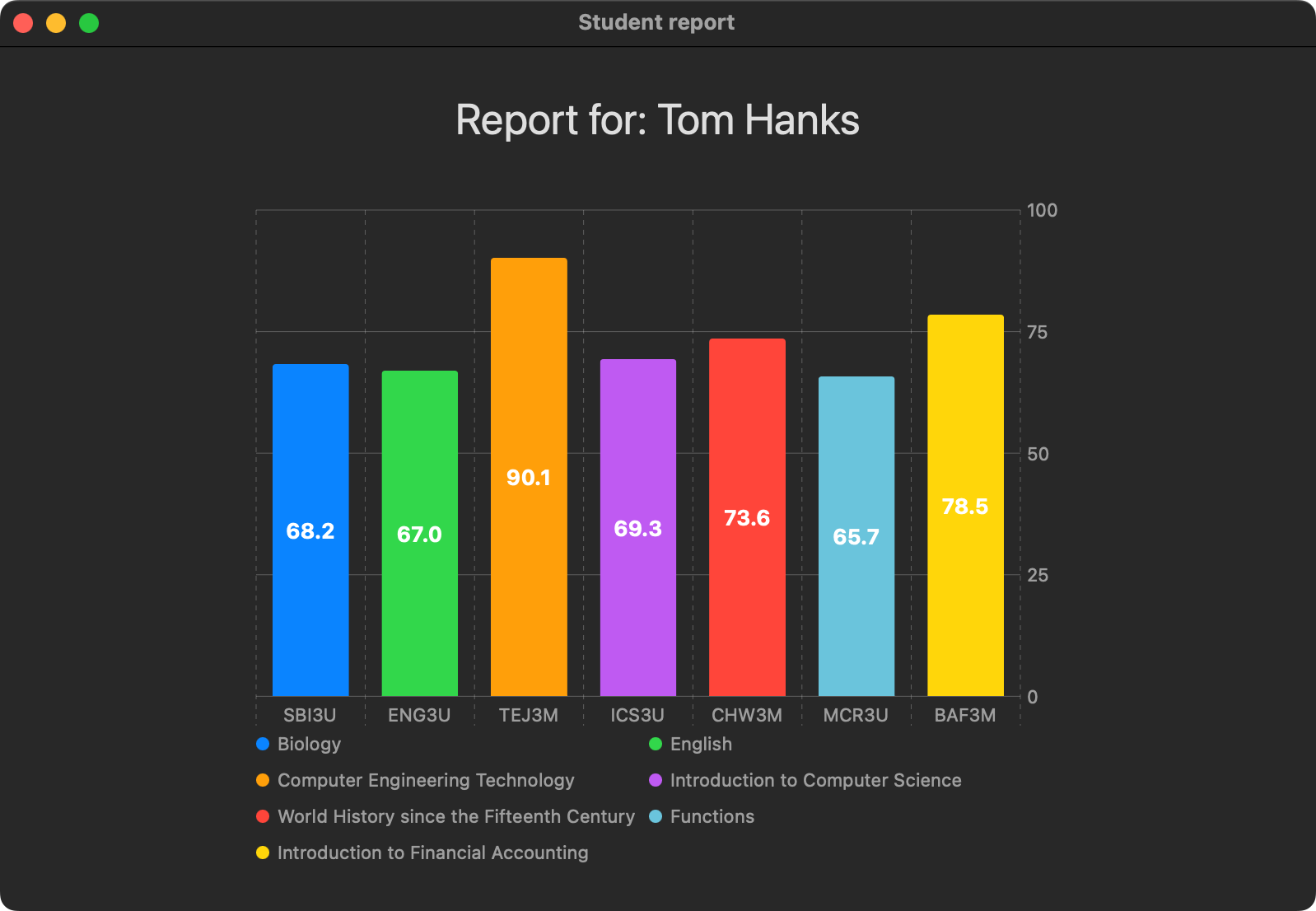
      Here is an example using "student" grades data:

      Screenshot 2024-01-15 at 4.20.16 PM.png|500

Things to do before our next class

Back to top of thread 2 ⬆

Thread 2, Day 3 - Friday, January 12, 2024

Agenda

  1. Activity: College Board Digital Portfolio
    • If you have not already, submit your AP Create Task.
      Tip

      It is recommended that you author a draft of your written responses for the AP Create Task before submitting your work to the College Board.

  2. Recap: Develop in Swift Tutorials
    • If you are finished your AP Create Task, this is an opportunity to further consolidate concepts you have learned in the past, and a way to learn a little more about features of Xcode you may not be aware of.
    • Chapters 1, 2, and 3 are all good choices to try.
      Note

      Mr. Gordon was an unpaid technical reviewer for these tutorials; they were authored by a team at Apple.

Things to do before our next class

Back to top of thread 2 ⬆

Thread 2, Day 2 - Thursday, January 11, 2024

Agenda

  1. Activity: College Board Digital Portfolio
    • If you have not already, submit your AP Create Task.
      Tip

      It is recommended that you author a draft of your written responses for the AP Create Task before submitting your work to the College Board.

  2. Recap: Optionals
    • Understand how the Swift programming language handles cases where a value may not exist for a variable or constant.
Things to do before our next class

Back to top of thread 2 ⬆

Thread 2, Day 1 - Tuesday, January 9, 2024

Agenda

  1. Setup: Update Xcode and Simulators
    • A key bug that impacts battery life has reportedly been resolved in the latest version of Xcode.
    • Be sure to complete this update.
  2. Discussion: Rubber Duck Debugging
    • Solving logical errors and syntax errors can be frustrating, but everyone deals with it, even experienced programmers.
    • Pairing with a friend to describe what you are trying to do with your code, line by line, can be helpful.
      • Often during this process, you will realize the source of the problem you are having.
    • When a friend is not nearby, use your duck! 🦆
  3. Activity: College Board Digital Portfolio
    • If you have not already, submit your AP Create Task.
      Tip

      It is recommended that you author a draft of your written responses for the AP Create Task before submitting your work to the College Board.

  4. Recap: Optionals
    • Understand how the Swift programming language handles cases where a value may not exist for a variable or constant.
Things to do before our next class

Back to top of thread 2 ⬆

Thread 1, Day 15 - Thursday, November 16, 2023

Agenda

  1. Activity: College Board AP Classroom
    • Learn how to join our section on the AP Classroom website.
  2. Activity: College Board Digital Portfolio
    • A look at how to submit your Create Task.
  3. Discussion: Module 1 Test Solutions
Things to do before our next class
    • Please use @Russell Gordon to notify me if your portfolio is modified; I have just reviewed portfolios (as of this past Wednesday).

Back to top of thread 1 ⬆

Thread 1, Day 14 - Tuesday, November 14, 2023

Agenda

  1. Activity: Module 1 Test
Things to do before our next class
    • We will look at how to hand in the task to the College Board in our next class.
    • If necessary, you can hand in your Create Task to the College Board at a date later than this Thursday's class.

Back to top of thread 1 ⬆

Thread 1, Day 13 - Tuesday, November 7, 2023

Agenda

  1. Activity: Module 1 Practice Test
Things to do before our next class
    • Be sure to carefully review the exemplar responses and ask questions on Notion if you are looking for clarification on anything at all.
      • Please use @Russell Gordon when asking questions so that you will get a more prompt reply from Mr. Gordon.

Back to top of thread 1 ⬆

Thread 1, Day 12 - Monday, November 6, 2023

Agenda

  1. Discussion: Module 1 Test Date
    • OUAC mark submission deadline means a modest change is needed.
  2. Activity: AP Create Task
    • Continue working on your task.
Things to do before our next class
    • This is a firm requirement – please do not forget to do this.

Back to top of thread 1 ⬆

Thread 1, Day 11 - Thursday, November 2, 2023

Agenda

  1. Activity: AP Create Task
    • Continue working on your task.
Things to do before our next class
    • This is a firm requirement – please do not forget to do this.

Back to top of thread 1 ⬆

Thread 1, Day 10 - Wednesday, November 1, 2023

Agenda

  1. Activity: AP Create Task
Things to do before our next class
    • This is a firm requirement – please do not forget to do this.

Back to top of thread 1 ⬆

Thread 1, Day 9 - Tuesday, October 31, 2023

Agenda

  1. Discussion: Rubber Duck Debugging
    • Solving logical errors and syntax errors can be frustrating, but everyone deals with it, even experienced programmers.
    • Pairing with a friend to describe what you are trying to do with your code, line by line, can be helpful.
      • Often during this process, you will realize the source of the problem you are having.
    • When a friend is not nearby, use your duck! 🦆
  2. Activity: Building a Create Task Exemplar
    • Finishing an app that meets requirements for the AP CSP Create Task.
      Tip

      You can view the history of commits here.

      You can click the links at right for a given commit to see changes made for that step:

      Screenshot 2023-10-30 at 4.50.25 PM.png|600

      Have a look at the changes for each commit and that should help you understand how the app was developed.

  3. Activity: Authoring Create Task Responses
Things to do before our next class

Back to top of thread 1 ⬆

Thread 1, Day 8 - Monday, October 30, 2023

Agenda

  1. Activity: Building a Create Task Exemplar
    • We will build an app that meets requirements for the AP CSP Create Task.
      • The app's audience is elementary school students.
      • It's beneficial effect, or purpose, is to help young children to spell and to accurately identify food items.
      • Fork and clone this repository to get started with developing the app.
      Note

      If you were absent for today's class, you can view the history of commits made as we developed the app today in class.

      You can click the links at right for a given commit to see changes made for that step:

      Screenshot 2023-10-30 at 4.50.25 PM.png|600

      Have a look at the changes for each commit and that should help you understand how the app was developed.

    • Compare the completed app to the requirements given for this year's Create Task.
    • Begin generating responses to last year's prompts.
Things to do before our next class

Back to top of thread 1 ⬆

Thread 1, Day 7 - Saturday, October 28, 2023

Agenda

  1. Activity: Generative Art (SwiftUI) – Part 3 of 3
  2. Discussion: AP Computer Science Principles
  3. Activity: Review your Grade 11 Culminating Task
    • Use time in this class to revisit your culminating task from grade 11 and compare it to the Create Task requirements.
    • Begin considering ideas for a new app that will meet requirements.
    • In our next class, we will build an exemplar app together in just one period that meets requirements.
Things to do before our next class
    • sorting algorithms (operations with lists of data)
    • generative art (working with control structures)
    • Magic 8 Ball (building interfaces and using lists in SwiftUI)
    • generative art (in SwiftUI)
    • layout in SwiftUI

Back to top of thread 1 ⬆

Thread 1, Day 6 - Thursday, October 26, 2023

Agenda

  1. Warmup: Defining Custom Shapes
  2. Activity: Generative Art (SwiftUI) – Part 2 of 3
  3. Exercise: Create a "Bento-Box" Layout
    • Marketing teams must be able to convey new features in a concise manner to an audience.
    • In recent years, Apple has used "Bento-Box" graphics to do so.
    • Try to reproduce this image using SwiftUI, or use it as inspiration to design a bento-box themed view related to something you care about.
    • Use SwiftUI Views Mastery as a reference.
      Hint

      Some keywords to look for examples of:

      • foregroundStyle
      • cornerRadius
      • gradient
      • Image

      Also: the keyboard shortcut Option-Shift-K produces the Apple logo.

Things to do before our next class
    • sorting algorithms (operations with lists of data)
    • generative art (working with control structures)
    • Magic 8 Ball (building interfaces and using lists in SwiftUI)
    • generative art (in SwiftUI)
    • layout in SwiftUI

Back to top of thread 1 ⬆

Thread 1, Day 5 - Tuesday, October 24, 2023

Agenda

  1. Activity: Generative Art (SwiftUI)
Things to do before our next class
    • sorting algorithms (operations with lists of data)
    • generative art (working with control structures)
    • Magic 8 Ball (building interfaces and using lists in SwiftUI)
    • generative art (in SwiftUI)

Back to top of thread 1 ⬆

Thread 1, Day 4 - Monday, October 23, 2023

Agenda

  1. Portfolio: Sharing Long Blocks of Code
    • Share code, not screenshots of code.
    • Please continue to use screenshots to show the results of code being run.
  2. Portfolio: Handling Comments on Posts
    • Do not mark comments as resolved in Notion so that the record of our conversation is preserved and easy to see at a glance.
  3. Discussion: Productive Use of Generative AI
    • Looking at an example of when we might use a large language model to advance learning in this course.
  4. Discussion: How to Obtain Your Electronic Textbooks
    • How to get your copies of SwiftUI Views Mastery and Working with Data in SwiftUI
  5. Activity: Implementing a Sorting Algorithm
    • Complete this activity to solidify your understanding of core programming concepts (loops and selection statements) and begin to build your understanding of sorting algorithms.
    • Be sure to make a portfolio post on Notion after completing the activity.
  6. Activity: Magic 8 Ball
    • Complete this activity to review the implementation of a simple user interface using SwiftUI.
Things to do before our next class
    • sorting algorithms (operations with lists of data)
    • generative art (working with control structures)
    • Magic 8 Ball (building interfaces and using lists in SwiftUI)

Back to top of thread 1 ⬆

Thread 1, Day 3 - Thursday, October 19, 2023

Agenda

  1. Activity: Generative Art
    • As a vehicle to review key topics from prior courses, we'll briefly explore generative art.
    • First, on paper, then, by looking at several ways to implement this in code.
Things to do before our next class

Back to top of thread 1 ⬆

Thread 1, Day 2 - Wednesday, October 18, 2023

Agenda

  1. Source Control: GitHub Account
    • If necessary, creating an account
    • Setting up a new access token
  2. Source Control: Ignored Files
    • Some Xcode setup to ensure files that should not go under source control are ignored.
  3. Xcode: Creating a Command-Line Project
  4. Activity: Implementing a Sort Algorithm
Things to do before our next class
    • Post on Notion to share your progress, regardless of whether you were able to successfully finish the task.

Back to top of thread 1 ⬆

Thread 1, Day 1 - Tuesday, October 17, 2023

Agenda

  1. Update Operating System
    • Update your computer to macOS Sonoma if you have not done so already.
  2. Install Xcodes
    • If you do not have this application installed just yet, please install it now.
    • The app makes it easier to manage installation of Xcode versions.
  3. Install Xcode 15
    • Use Xcodes to install Xcode 15.
      Tip

      Do not install Xcode via the App Store, as using this method means that it will automatically get upgraded when a new version is released (which is not always ideal).
  4. Course Outline
  5. Distribute Course Materials
    • Please sign the form being distributed to authorize charges to your family's account at LCS for required reference books.
  6. Portfolio: Creating a Notion Account
    • Please create a bookmark for your portfolio page in Notion.
  7. Activity: Developing a Sorting Algorithm
Things to do before our next class

Back to top of thread 1 ⬆